Workflow
Editable charts in Google Slides
Editable charts in Google Slides are valuable because deck work rarely ends after the first version. Numbers change, labels move, and the story gets sharper through review.
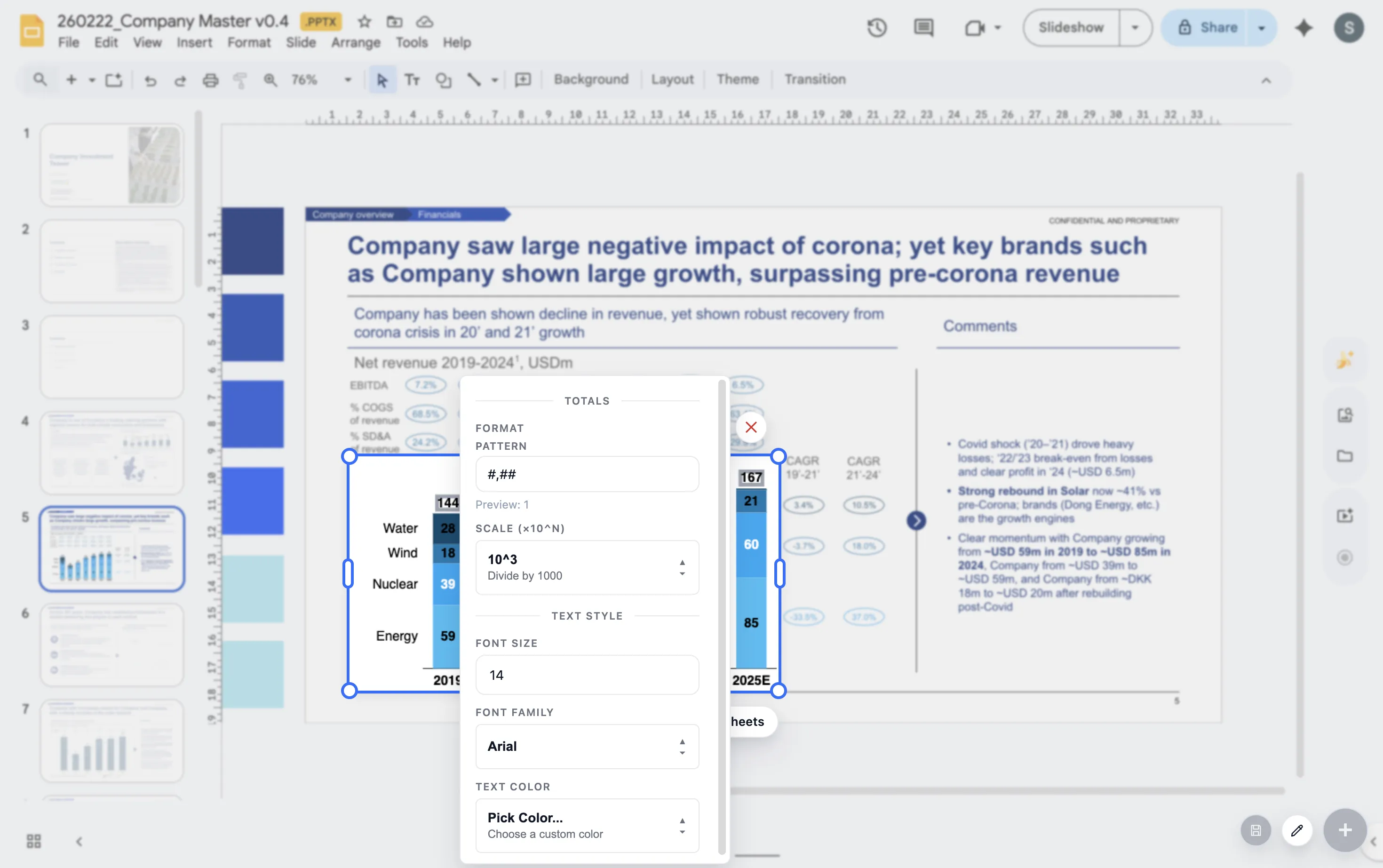
Quick answer
Use editable charts when a chart will be reviewed, updated, reused, or standardized across a team. Static screenshots are fine for quick one-off work, but they slow down recurring deck workflows.
Workflow value
Editability reduces friction during review
Most chart edits are small. A label moves, a category is renamed, a total becomes important, or the headline changes. Static charts turn those small edits into a source-file hunt.
Editable charts keep the chart closer to the person shaping the slide. That makes the final deck easier to polish and less likely to contain mismatched screenshots.
When it matters
Three cases where editable charts matter most
Recurring reports
The same chart returns every week, month, or quarter and needs updated numbers.
Review cycles
Managers, partners, or clients comment on the chart and ask for changes.
Team templates
Several people need to build charts that follow the same style and logic.
Lead magnet
Editable chart workflow guide
Use this guide to decide which charts should stay editable in Google Slides.
- Keep recurring charts editable.
- Keep charts with labels, annotations, or deltas editable.
- Keep client-facing or board-facing charts editable until final review.
- Use screenshots only for charts that will not be revised.
Keep chart edits close to the deck
ChartKit helps teams build and revisit charts directly inside Google Workspace.
Where ChartKit fits
Use ChartKit when the chart belongs in the deck workflow
ChartKit is designed for teams that build presentation-ready charts in Google Workspace. The workflow supports the chart types and storytelling controls teams use in recurring decks.
If a chart will be touched multiple times before it is final, editability is not a nice extra. It is part of the production process.
FAQ
Common questions about editable charts
Are Google Slides charts editable by default?
Some linked chart workflows are editable, but many teams still rely on screenshots or pasted images that are hard to revise.
When is a screenshot acceptable?
A screenshot can be acceptable for a one-off chart that will not be updated, resized, or reviewed in detail.
Why does editability matter for team workflows?
It lets teammates update the chart without reconstructing the source and keeps formatting more consistent across decks.