Workflow
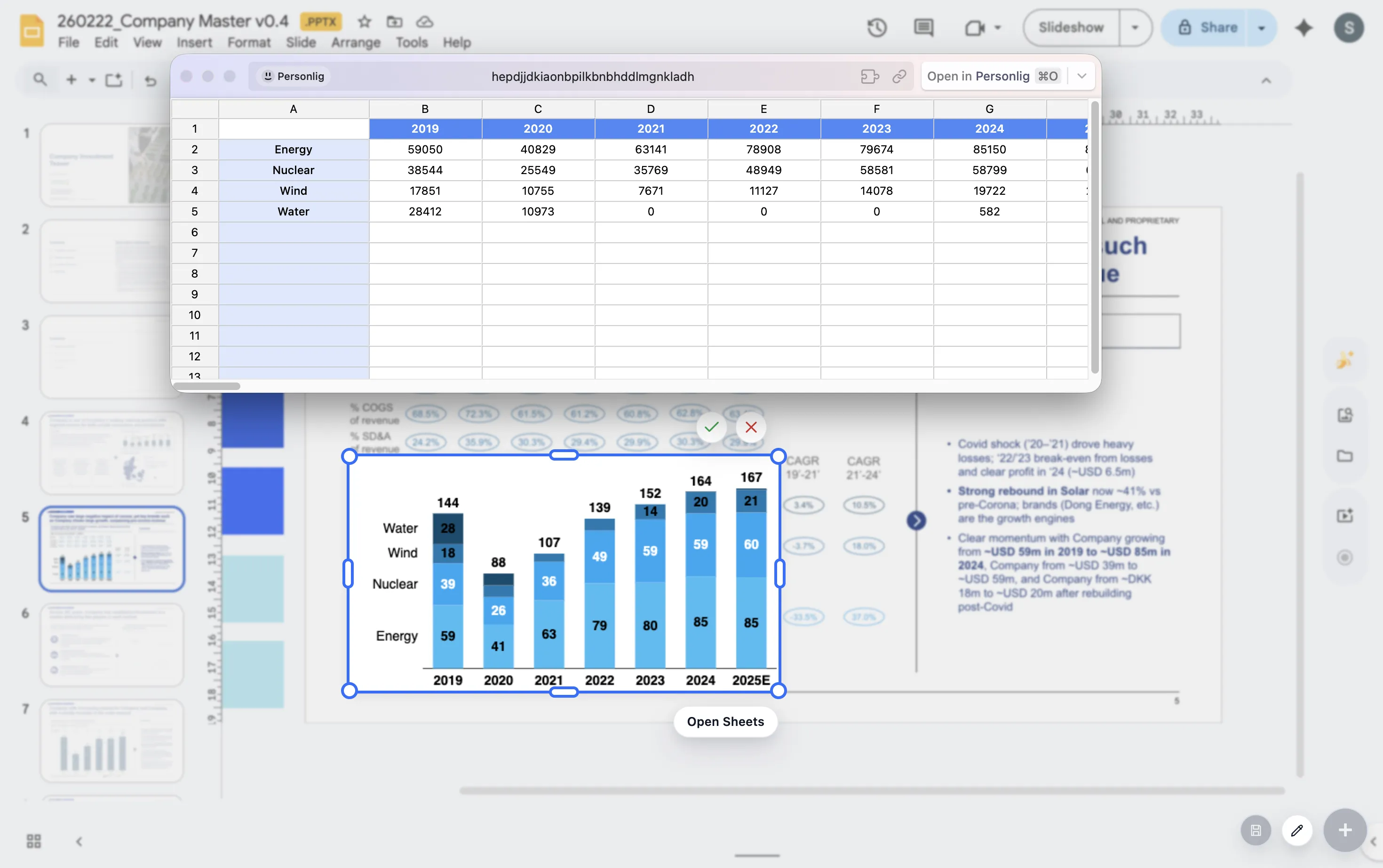
Google Sheets to Google Slides charts without screenshots
Pasting chart screenshots from Google Sheets into Google Slides can work for one quick deck. It becomes painful when the same charts need to be updated again and again.
Quick answer
Avoid screenshots when the chart will be reused, resized, restyled, or reviewed by several people. Use a workflow that keeps chart logic close to the slide and lets the team update the visual without recreating it from scratch.
Workflow problem
Screenshots hide the chart logic from the deck
A screenshot is static. Once it lands in the deck, the chart can no longer be edited as a chart. If a label overlaps, a segment order changes, or the story needs a different emphasis, the team has to return to the source and export again.
That loop creates small errors. It also separates the chart from the slide context, which makes it harder to polish the final narrative.
Warning signs
Three signs your screenshot workflow is breaking down
The same chart is exported often
Recurring updates are a signal that the chart should be easier to revisit.
Slide styling is rebuilt manually
If fonts, spacing, and labels are fixed after every paste, the process is costing more than it seems.
Review comments target tiny chart details
Small label and formatting changes become slow when the chart is no longer editable in context.
Lead magnet
Screenshot-loop replacement workflow
Use this workflow when a chart moves from analysis into a recurring presentation.
- Identify charts that will be updated more than once.
- Decide the slide takeaway before rebuilding the visual.
- Use an editable chart workflow for labels, totals, deltas, and annotations.
- Keep related charts consistent so each reporting cycle gets faster.
Stop rebuilding the same screenshots
ChartKit helps teams build presentation-ready charts directly inside Google Workspace.
Where ChartKit fits
Keep the chart workflow inside Google Workspace
ChartKit is designed for teams that want to build presentation-ready charts in Google Slides, Docs, and Sheets. It helps replace the export loop with a workflow closer to the deck.
The goal is not to avoid Google Sheets. The goal is to stop treating the chart as a dead image once it enters the presentation.
FAQ
Common questions about chart screenshots
Are chart screenshots always bad?
No. They can be fine for quick one-off work. They become a problem when the chart needs repeated edits or consistent presentation polish.
What is the main risk of screenshot charts?
The chart becomes disconnected from the edit workflow. Every small change requires a return to the original chart source.
Can ChartKit replace every Google Sheets chart workflow?
No. ChartKit focuses on presentation-ready chart creation in Google Workspace, especially for recurring deck workflows.