Chart design
Presentation-ready charts for Google Workspace teams
A presentation-ready chart is clear enough to support a meeting without forcing the audience to inspect the underlying spreadsheet.
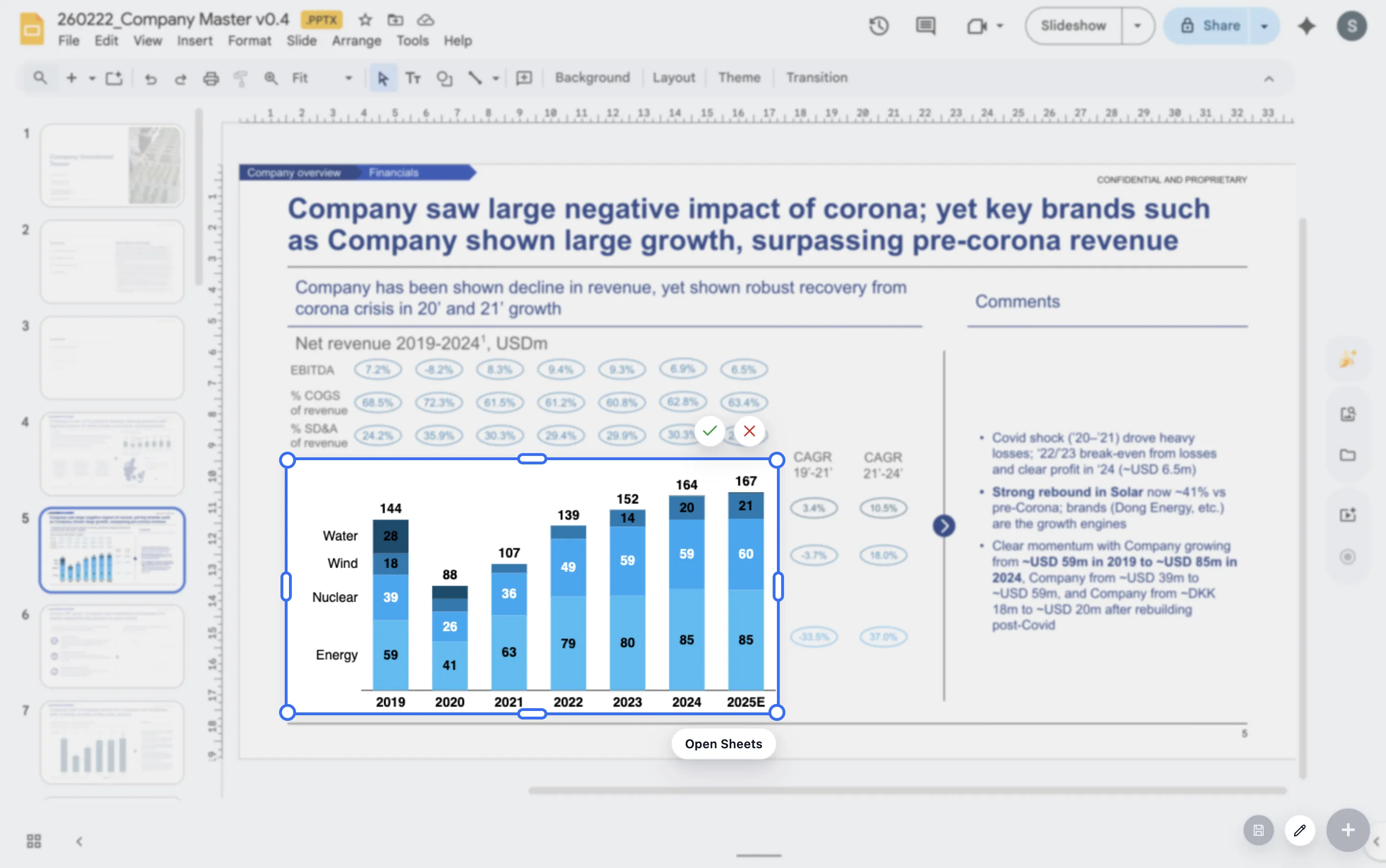
Quick answer
A chart is presentation-ready when the takeaway is clear, labels are readable, spacing works on the slide, and the chart type matches the question. The chart should reduce explanation, not require more of it.
Definition
Presentation-ready is a communication standard
A spreadsheet chart can be technically correct and still fail in a deck. Presentation-ready charts need hierarchy, selective detail, and a strong connection to the slide headline.
The audience should not have to ask what the chart is trying to show. If they do, the chart is not ready yet.
Readiness checks
Three checks reveal whether a chart is ready
Takeaway
The chart title or slide headline should state what the audience should notice.
Readability
Labels, legends, and values should be readable without zooming into the slide.
Fit
The chart should answer the slide question rather than show every available data point.
Lead magnet
Presentation readiness checklist
Use this checklist before sharing a deck with leadership, clients, or the board.
- Can the main point be understood in five seconds?
- Does the chart use the simplest chart type that answers the question?
- Are labels readable and selective?
- Does the chart look like it belongs in the deck rather than pasted from somewhere else?
Build presentation-ready charts without leaving the deck
ChartKit helps teams create polished charts directly inside Google Workspace.
Where ChartKit fits
Build chart polish into the Google Workspace workflow
ChartKit is designed for teams that build consultant-grade charts inside Google Slides, Docs, and Sheets. It supports chart types and storytelling controls that help charts read cleanly in presentation context.
This matters when teams create recurring decks and need chart quality to be repeatable.
FAQ
Common questions about presentation-ready charts
What is the difference between a correct chart and a presentation-ready chart?
A correct chart displays the data accurately. A presentation-ready chart also makes the intended takeaway easy to understand.
Do presentation-ready charts need lots of styling?
No. They need clear structure, readable labels, and visual choices that support the point.
Can a chart be too simple?
Yes, if it removes context needed for the decision. The goal is not minimalism. The goal is clarity.