Strategy decks
Best chart types for strategy decks
A strategy deck needs charts that clarify choices. The chart should help the audience compare options, understand tradeoffs, and see why the recommendation follows.
Quick answer
Use bar charts for option comparisons, line charts for market or performance trends, waterfalls for driver movement, and stacked bars for portfolio mix. Avoid chart types that make tradeoffs harder to see.
Strategic clarity
Chart choice should support the recommendation
A strategy chart is not neutral decoration. It should help the audience understand why one path is stronger than another. That means the chart type should make the comparison or movement obvious.
If the slide asks the audience to choose between markets, a ranked bar may work better than a complex bubble chart. If the slide explains margin pressure, a waterfall may work better than a table.
Chart types
Four chart types cover many strategy slides
Ranked bars
Use them to compare markets, options, costs, or priorities.
Line charts
Use them to show market evolution, performance trends, or adoption curves.
Waterfalls
Use them to explain drivers behind profit, cost, or revenue movement.
Lead magnet
Strategy deck chart checklist
Use this checklist when reviewing charts in a strategy deck.
- Does the chart support the recommendation directly?
- Does the chart make the tradeoff easier to see?
- Is the chart type simpler than the question allows?
- Can the audience understand the point without reading a long note?
Standardize strategy charts across the team
ChartKit helps teams build repeatable presentation-ready charts in Google Workspace.
Where ChartKit fits
Build strategy charts inside the presentation workflow
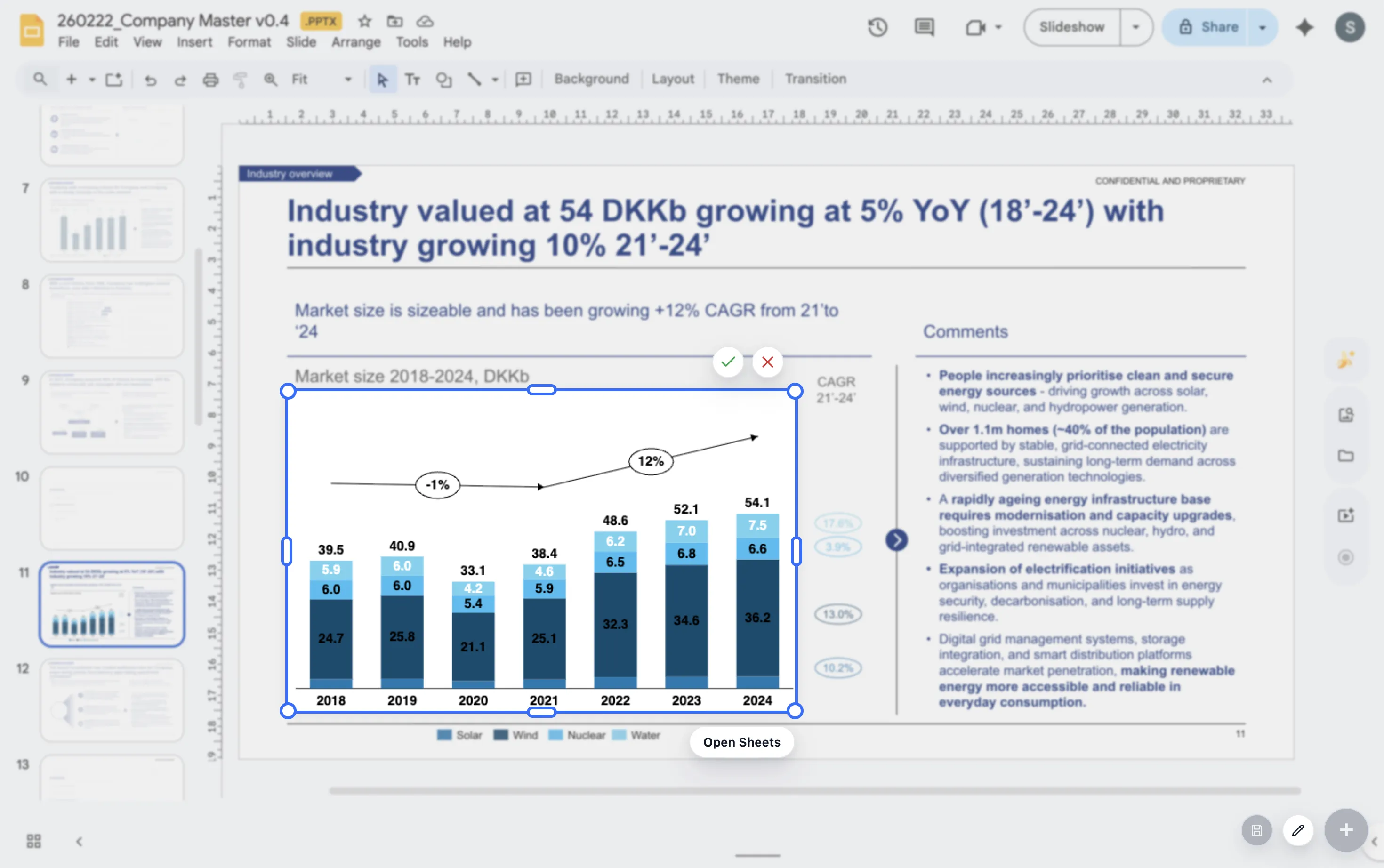
ChartKit supports the chart types strategy decks often need in Google Workspace. Teams can build stacked bars, 100% bars, line charts, and waterfalls without leaving the deck workflow.
This helps when the recommendation changes through review and the chart needs to change with it.
FAQ
Common questions about strategy deck charts
Should strategy decks use advanced chart types?
Only when the advanced chart makes the decision clearer. Simple charts often work better for executive discussion.
What chart works best for option comparison?
A ranked bar chart is often the clearest starting point because it makes relative size easy to see.
How many charts should a strategy deck include?
Use as many as needed to support the recommendation, but remove charts that do not change the decision.