Comparison
Looking for a Think-cell alternative for Google Slides?
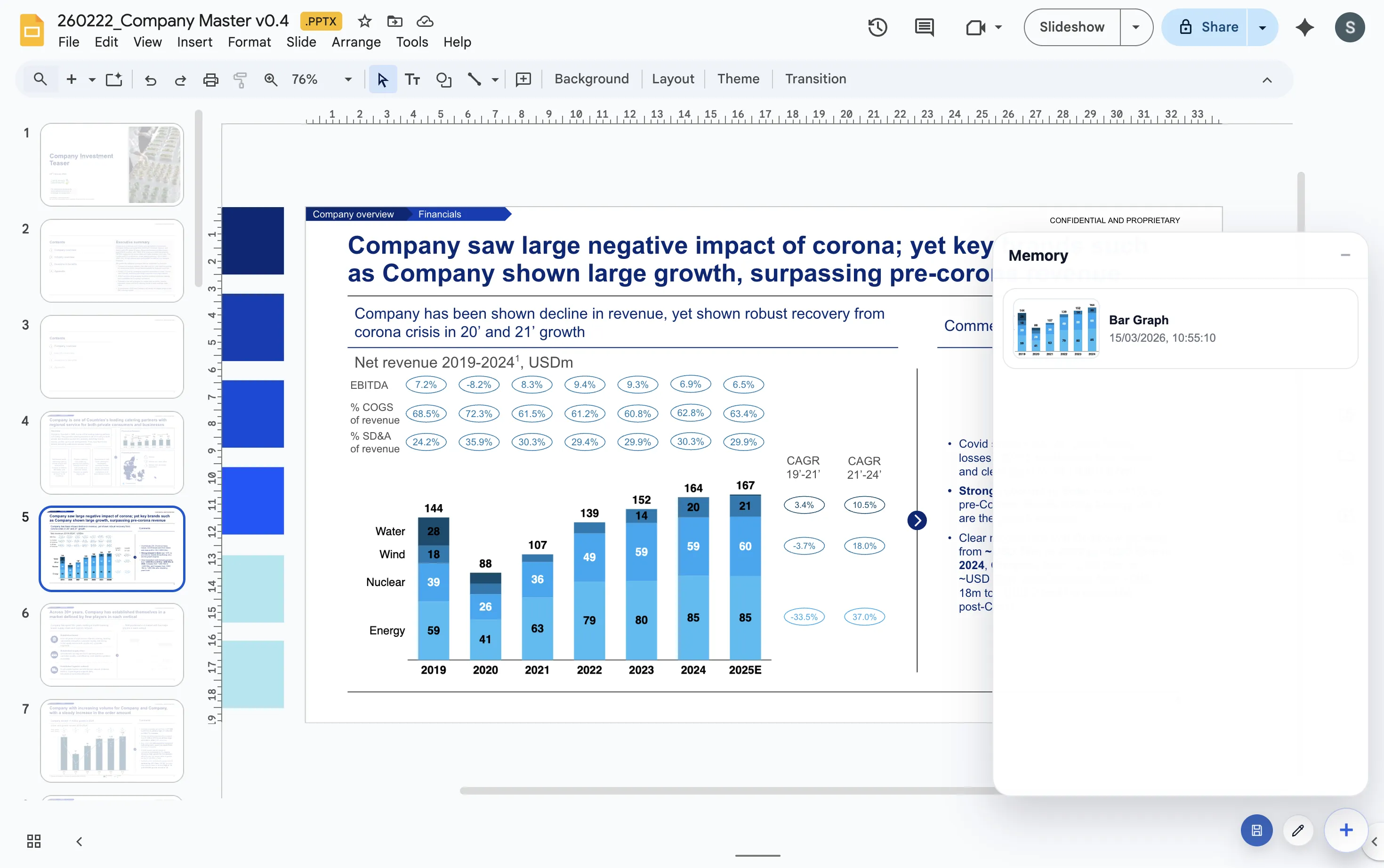
If your team wants polished business charts but works in Google Workspace instead of PowerPoint, the real requirement is not just “a charting tool.” It is a workflow that stays inside Google Slides and keeps the chart editable close to the presentation.
What matters in practice
| Decision area | What to look for | How ChartKit approaches it |
|---|---|---|
| Presentation environment | Whether the tool fits Google Slides or expects a PowerPoint workflow | ChartKit is built around Google Slides, Docs, and Sheets. |
| Chart types | Support for stacked bars, 100% bars, line charts, and waterfall charts | ChartKit focuses on the chart types teams update repeatedly in management-ready decks. |
| Storytelling controls | Totals, deltas, labels, and annotations that help the chart explain a point | ChartKit includes controls aimed at consultant-style chart communication. |
| Ongoing updates | Whether the chart can be revisited and refreshed without recreating it from scratch | ChartKit is designed for repeat updates inside the same Google Workspace workflow. |
When ChartKit is a good fit
- Your team lives in Google Slides and does not want a PowerPoint-first workflow.
- You care more about weekly operating charts and management-ready updates than about every possible chart type on day one.
- You want the chart creation step to stay near the slide instead of becoming a separate production line.
How teams usually make the call
Presentation environment
If most of the work already lives in Google Slides, a workflow optimized for that environment is usually more valuable than feature parity with a PowerPoint add-in.
Chart update frequency
Teams that refresh the same charts every week care more about editability and speed than about having every chart type on day one.
Storytelling controls
The important question is whether the workflow supports totals, deltas, labels, and annotations well enough to make the takeaway obvious in a live deck.
FAQ
Questions teams ask when evaluating an alternative.
Is ChartKit trying to replicate every Think-cell feature?
No. The positioning is narrower and more practical: give Google Workspace teams the chart types and storytelling controls they use most often in management-ready decks.
When is ChartKit the better fit?
It is the better fit when the deck already lives in Google Slides and the team wants chart creation to stay in that workflow instead of detouring into a PowerPoint-based production line.
What should I compare next?
Read the product overview to understand the workflow and the walkthrough to see how installation, chart creation, and repeat edits work end to end.