Comparison
Think-cell for Google Workspace teams
Teams searching for Think-cell in a Google Workspace context are usually asking a workflow question. They want polished business charts without moving the whole deck process into PowerPoint.
Quick answer
If the team lives in Google Slides, compare tools by workflow fit, chart coverage, update speed, and storytelling controls. ChartKit is a practical option for Google Workspace teams that need recurring business charts in the deck.
Decision frame
The comparison starts with where the deck lives
A PowerPoint-first chart tool can be powerful, but it may not fit a team that builds and reviews decks in Google Slides. The cost is not only tool switching. The cost is the friction around updates, collaboration, and review.
For Google Workspace teams, the right question is whether the chart workflow supports the way the team already works.
Decision areas
Three areas should drive the comparison
Deck environment
If the deck is built in Google Slides, workflow fit matters as much as raw chart features.
Recurring updates
A good workflow should make repeated chart updates easier, not harder.
Story controls
Totals, labels, deltas, and annotations matter because the chart must explain a point quickly.
Lead magnet
Tool fit decision table
Use this table as a checklist before choosing a chart workflow for a Google Workspace team.
- Where does the deck get built and reviewed?
- Which chart types does the team update every week or month?
- How much review friction comes from chart edits?
- Does the workflow support the team's collaboration habits?
Evaluate ChartKit for a Google Workspace rollout
If your team builds business charts in Google Slides, ChartKit is worth comparing in the real workflow.
Where ChartKit fits
Use ChartKit when Google Workspace is the operating environment
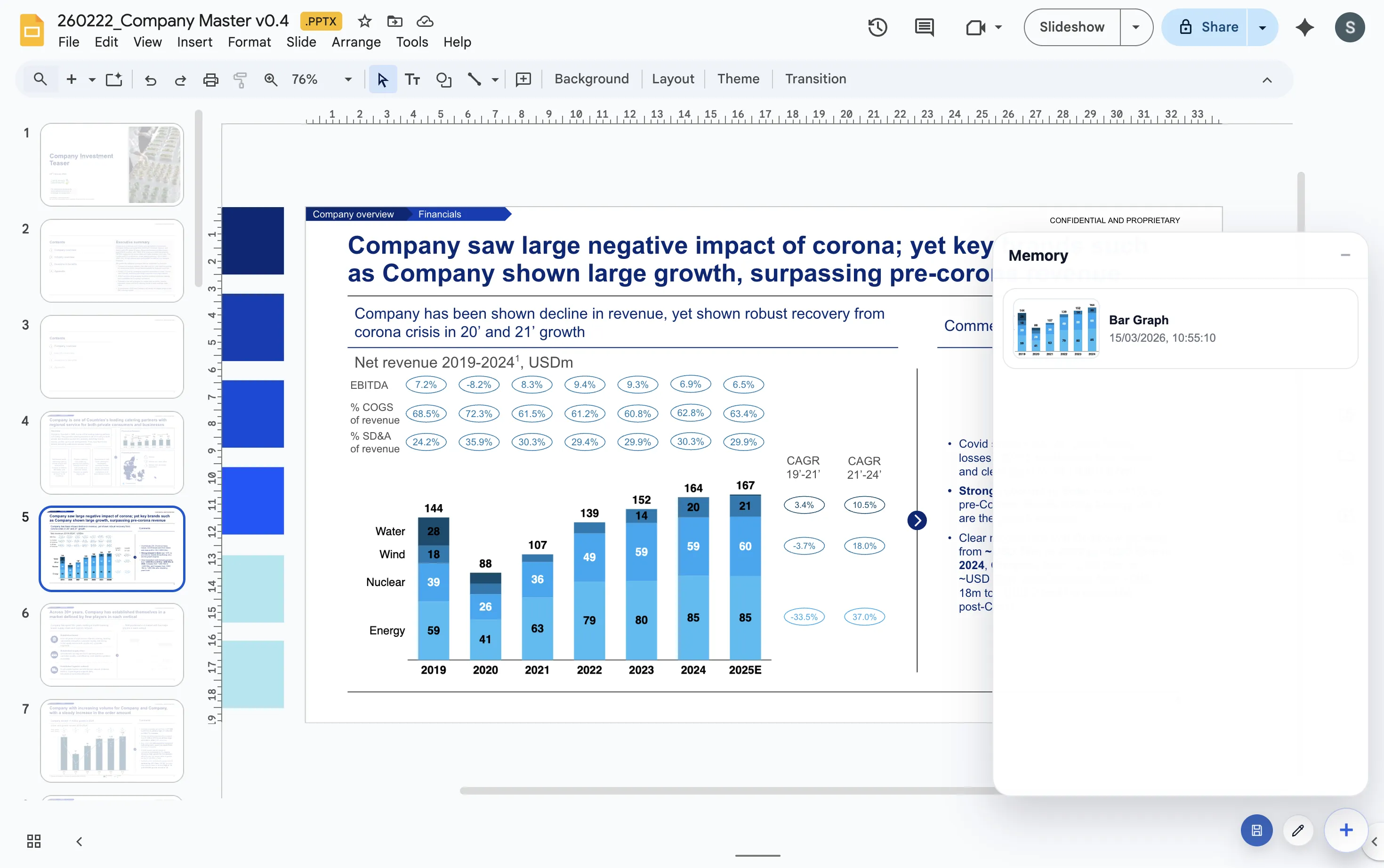
ChartKit focuses on consultant-style chart communication inside Google Slides, Docs, and Sheets. It supports the chart types teams use in recurring management decks, including stacked bars, 100% bars, line charts, and waterfalls.
It is not positioned as a clone of every Think-cell feature. It is a focused Google Workspace-native workflow.
FAQ
Common questions about Think-cell alternatives
Is ChartKit the same as Think-cell?
No. ChartKit is a focused Google Workspace-native chart workflow, not a full replica of every Think-cell feature.
When should a Google Workspace team consider ChartKit?
Consider ChartKit when the team builds recurring business charts in Google Slides and wants chart creation to stay in that workflow.
What should teams compare first?
Start with where decks are built, which chart types are needed, how often charts change, and how much presentation polish is required.