
A think-cell alternative for PowerPoint on Mac
6 min read
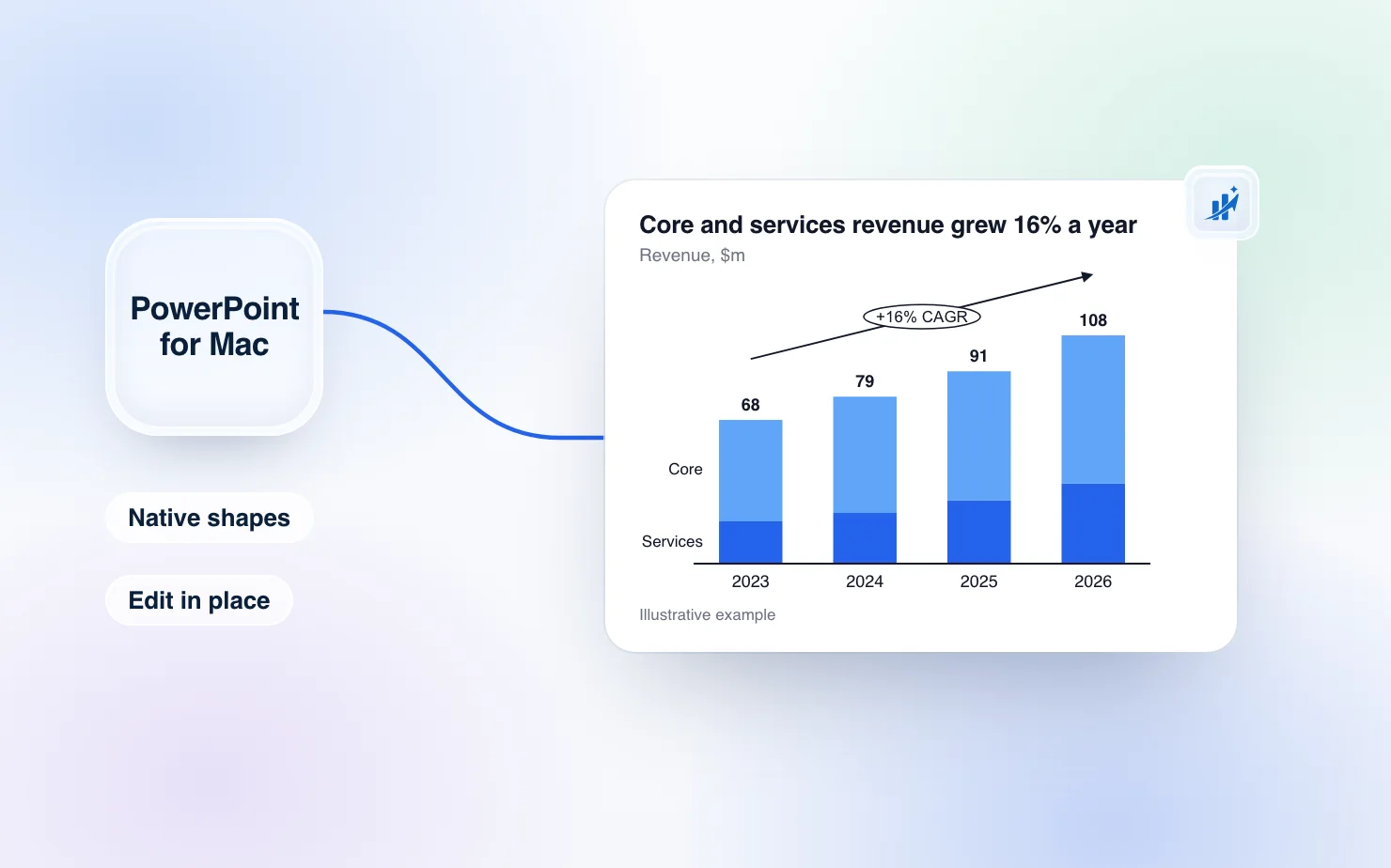
If you searched for a think-cell alternative on Mac, you probably expected to find that think-cell does not run there. It does. think-cell has supported PowerPoint for Mac since version 10 in 2019 (think-cell announcement). So the question is not whether a Mac user can get think-cell-style charts. It is whether that is the only way, and what else it costs you.
We make ChartKit, so read this with that in mind. ChartKit also works inside PowerPoint. Here is what it does, where it falls short, and who should stay with think-cell.
What ChartKit in PowerPoint is
ChartKit is a desktop app for Mac and Windows that puts its menu over PowerPoint. You pick a chart type, fill in the data, and the chart lands on the slide.
It is the same chart editor as our Chrome extension for Google Slides. Same chart types, same annotations, same data sheet, same templates. If you have read our post on think-cell alternatives for Google Slides, this is the PowerPoint half of that story.
Charts arrive as native PowerPoint shapes
Most chart tools hand you a picture. ChartKit in PowerPoint inserts a named group of rectangles, lines and text boxes.
Stacked, clustered and 100% stacked bars, waterfalls, mekko, line, scatter and bubble charts are drawn as shapes. So are the arrows: CAGR arrows and difference arrows. Anyone who opens the deck sees ordinary PowerPoint shapes. They can recolour a segment or nudge a label with PowerPoint's own tools, with or without ChartKit installed.
Not everything has a shape form. Icons, for example, paste as images. A part that cannot be a shape falls back to a picture. We say "native shapes" for the chart types above, and we do not claim it for every chart type.
Click a chart to edit it in place
Click a chart you made and it opens in ChartKit's editor right on the slide. Click anywhere else and the edit is saved back into the slide.
If you would rather not have charts open on click, turn off the setting "Open charts on click". An "Edit chart" pill then appears on the selected chart instead.
One limit to know about. The data behind a chart is stored on the computer that made it. You can reopen and edit any chart you made, right on the slide. A colleague on another computer still sees the native shapes and can edit those, but cannot reopen your chart in ChartKit's editor.
What you get in the editor
- Chart types: stacked bar, bar, 100% stacked bar, clustered bar, line, area, scatter, bubble, doughnut, pie, waterfall, mekko, Harvey balls and Gantt
- Annotations: CAGR arrows, difference arrows, totals, reference lines and axis breaks
- A data sheet for the numbers, the same grid as in Google Slides
- Templates for saved components, layouts and a slide library, plus an icon search
The ChartKit menu sits over PowerPoint's editing area, with Charts, Templates and Icons. PowerPoint itself has no built-in Marimekko chart and no automatic totals on stacked charts, and CAGR arrows need manual shapes or an add-in. Those are the gaps most people come for. We wrote more on each of them in our guide to mekko charts in PowerPoint on Mac, waterfall charts in PowerPoint on Mac and stacked bar totals and CAGR in PowerPoint.
think-cell versus ChartKit, side by side
| think-cell | ChartKit in PowerPoint | |
|---|---|---|
| PowerPoint for Mac | Yes, since version 10 (2019) | Yes |
| PowerPoint on Windows | Yes | Yes |
| Google Slides | No | Yes, with the Chrome extension on the same plan |
| Price | Starts at around $298.80 a year for 1 to 4 users, per TrustRadius | Free for 10 charts a month, then €10 a month |
| Free plan | Not listed on the TrustRadius page | 10 charts a month, no card |
think-cell has no public price table that we could find. The figure above is a third-party listing, so check think-cell's own quote before you compare.
Where think-cell is still the better pick
Choose think-cell if any of these apply.
- You already own think-cell licences and everyone is happy. Switching saves you nothing.
- You rely on think-cell's depth across many chart types and years of consulting-deck habits.
Where ChartKit fits
ChartKit fits if you are on a Mac or Windows PC, you build management-deck charts, and you want one plan for PowerPoint and Google Slides. You pay once, at €10 a month for Pro, and the same account works in both. If one client sends PowerPoint and another sends a Google Slides link, a single plan removes the question of which tool to pay for.
It also fits if you want to try before you pay. The free plan gives you 10 charts a month with no card. Pro has a 14-day trial. See pricing for the full breakdown.
How to set it up
On a Mac, setup is a four-step window called "Set up ChartKit in PowerPoint".
- Sign in. The window opens your browser and signs you in with your Google account.
- Connect PowerPoint. macOS asks whether to let ChartKit control PowerPoint. The prompt reads "ChartKit controls PowerPoint to insert and edit your charts." Allow it.
- Find charts on your slides. This needs the macOS Accessibility permission, so ChartKit can see where a chart sits on screen. No Screen Recording permission is needed.
- Try it on a sample deck. ChartKit opens a blank deck with a sample chart. Click the chart to see it open in the editor.
The two macOS permissions are the part people skip. Without them the app cannot insert or find charts, so expect the prompts. The app is signed by the developer and notarized by Apple. There are separate downloads for Apple silicon and Intel Macs. Get them from the ChartKit PowerPoint page.
On Windows, setup has three steps and asks for no permissions.
What it does not do
- It runs with PowerPoint from Microsoft 365 on Mac and on Windows 10 and 11. There is no PowerPoint on the web and no iPad version.
- ChartKit AI, chat and the writing pill are not available in PowerPoint.
- There are no live links to Excel.
- Cmd+Z stays PowerPoint's own. It does not undo a ChartKit save.
- ChartKit is not affiliated with Microsoft.
Which one should you pick
Stay with think-cell if you are already licensed. Try ChartKit in PowerPoint if you are on a Mac or Windows PC and want native editable shapes, an in-place editor and one plan that also covers Google Slides. Our roundup of PowerPoint chart add-ins that work on Mac covers the other options if neither fits.
Common questions
Does think-cell work on Mac? Yes. think-cell has supported PowerPoint for Mac since version 10, released in 2019.
What is the best think-cell alternative for Mac? It depends on what you build. ChartKit in PowerPoint covers stacked bars, waterfalls, mekko, line, scatter and bubble charts with CAGR and difference arrows, as native PowerPoint shapes.
Is there a free think-cell alternative? ChartKit has a free plan with 10 charts a month and no card. Pro is €10 a month with a 14-day trial, and the same plan covers Google Slides.
Does ChartKit in PowerPoint work on Windows? Yes. It runs with PowerPoint from Microsoft 365 on Windows 10 and 11, on the same plan as on Mac. It does not run in PowerPoint on the web.
Are ChartKit charts editable in PowerPoint? Yes. Charts land as grouped native shapes you can recolour or nudge with PowerPoint's own tools. Click a chart you made to reopen it in ChartKit's editor on the slide.
Download ChartKit and make your first chart on the free plan.